
Q&A | How do you organize digital photos?
We are just gonna do one question today because last night when I was trying to do work on my computer, my power kept flickering off because of high winds.
I decided to just go for a walk and then try again.

But when I got back home and sat down to work, the power kept on blinking. I finally gave up and went to Starbucks to get my essential nursing school assignments done.

I came home and thought, "Oh, I'll write a blog post now" and then the power blinked again twice.
And so I decided to just go to bed!
Anyway, due to being short on time (and also because it's a holiday today), how about we do just one question this morning?
How do you organize digital photos?
I have recently started a market garden and want to populate social media posts with actual pictures of past gardens and produce, but struggle finding what I want from my Google photo archive.
A marketing professional suggests using mostly stock photos, but I find that a bit misleading and not very interesting.
Any suggestions?And please, don't limit the response to just blog/business photos. Same problem with personal shots too!
Thank you,
Monica
When I used my SLR exclusively, I always uploaded my pictures into a new folder for every month. So, I have folders for, say, January 2015, February 2015, and so on.
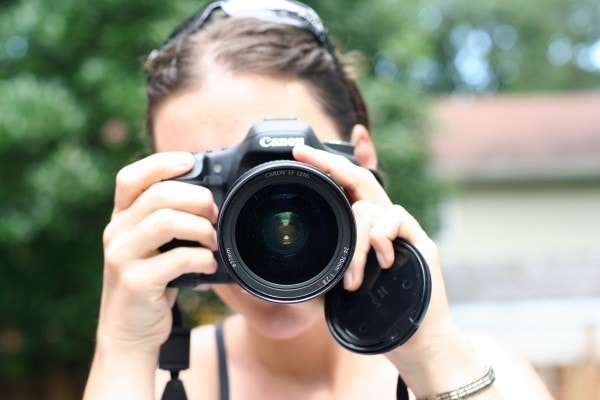
That made it pretty easy to find photos because I could usually just remember what year or month it was and look up the photos that way. Or I could at least remember something like, "I know that was in the winter of 2013." and narrow down the folders.
But now that I largely use my phone, my photos are automatically organized into months and years! So that is convenient.
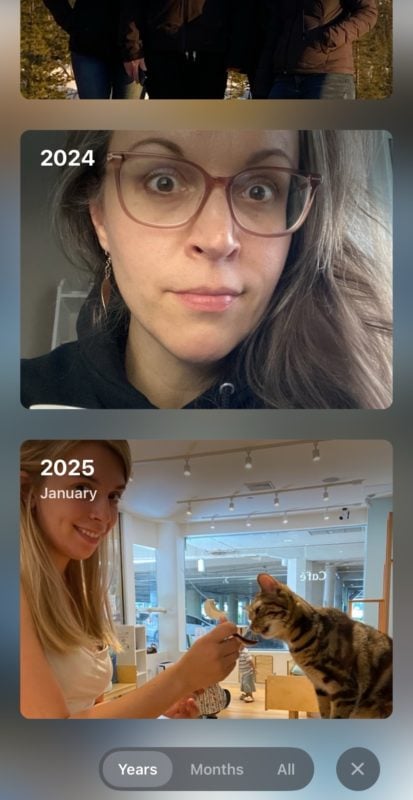
Also, both Apple Photos and Google Photos have a search function. Oddly, I find the Apple one seems to work better than the Google Photos one, but basically, you can type in a word and then pictures that match the search term will appear.
So, if I want to find pictures of a cat, I can just type, "cat" in, and then all my cat pictures will show up.
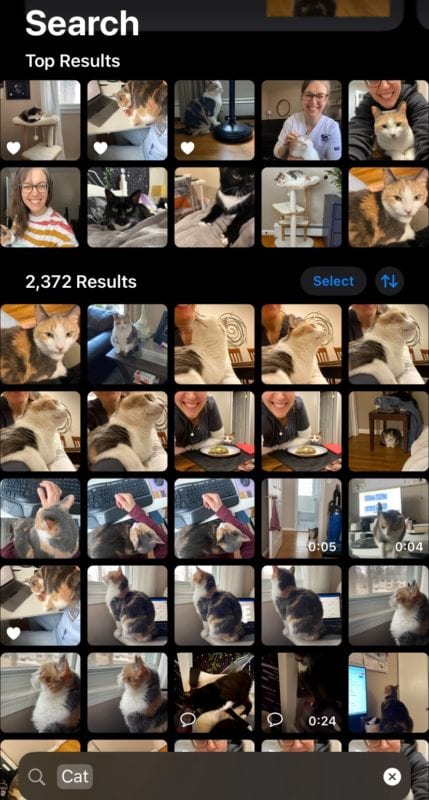
(I have extensive cat picture files. Ha.)
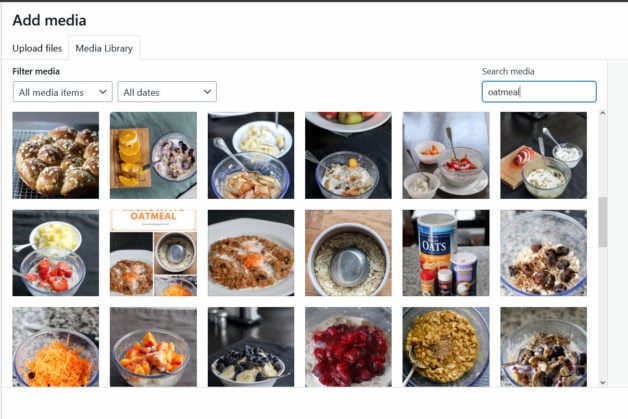
Since I have been blogging for so long, I have an extensive library of images stored on my site too, and I used the search feature in WordPress to find photos I need. That works very similarly to the way the search works on Apple Photos, except WordPress's seems to depend on me having done a good job of labeling the photo when I uploaded it.
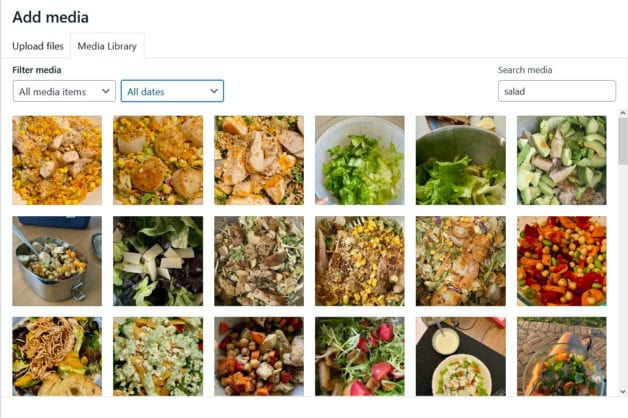
So it is not a perfect system because my blog's oldest photos were uploaded before it was a "thing" to add alt text and a picture title. But I have enough labeled pictures to make it work.
Regarding stock photos
I think stock photos have their place when you are trying to make something rather generic, like a powerpoint presentation for school.
But for many applications, I just think they make your end product rather impersonal and boring. I'm not entirely sure what a market garden is (you grow things to sell, I assume?), but it seems to me that people would rather see what is real and imperfect, vs. what is perfect and also not-real.
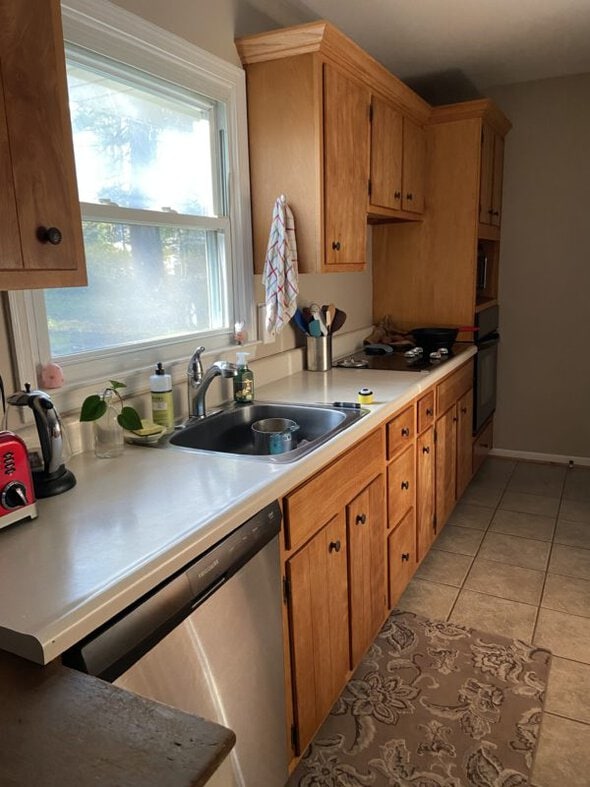
For example, the photo I used at the beginning of this post is not a very good photo. I snapped it under poor lighting at Starbucks.
But I'd rather use that than a stock photo of a coffee cup or coffee shop because it is personal and real. And I think most people who read my blog would prefer it that way too!
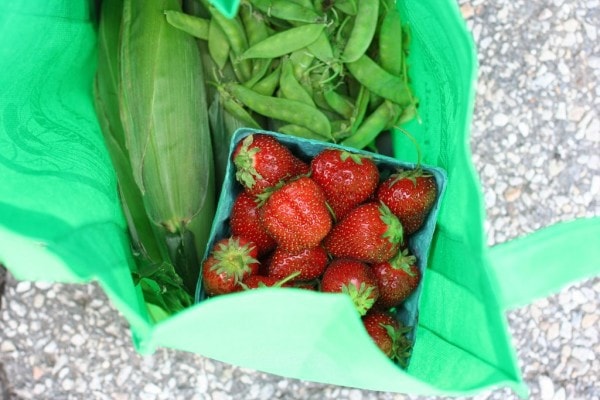
Realness is better than polished perfection, and that is especially true for a tiny, personal business. If I was going to buy produce from a little market, I'd want to see the actual food they grow.
I'd be interested in the process, and in the people behind the garden.
None of that can be accomplished with stock photos!
So, if I were you, I don't think I'd want to use them. I'd use the search function on my phone when I need a photo, choose the best one, and figure that done-and-real is better than aiming for perfection.
And as you go forward with this project, I'm sure you will have fresh, day-to-day photos to use!



I don't, but this is inspiring me to make a folder of cat photos (and other photos but cats are priority). Also, I can drink coffee at any time of night and still sleep soundly!
@Sophie in Denmark, We're twins! But not identical twins, because "I don't, but this is inspiring me to make a folder of DOG photos. Also, I can drink coffee at any time of night and still sleep soundly!"
@JDinNM, Excellent!
@Sophie in Denmark, I didn't realize until an article in the New York Times that we all metabolize caffeine differently. Lucky you, I can't even have a coke or iced tea after about 12:00 noon. Plus cat pictures!!!
Love ❤️ “realness is better than polished perfection.” It took me years to learn this.
Great question, thank you for asking it.
I don't organize mine well and I find it time-consuming and tedious to go thru digital photos, sort them, decide which to keep/get rid of, and label them online. Organizing real photos was so much easier!!! So I'm following answers with great interest.
@WilliamB,
I'll second that, because my organization is basically non-existent.
@WilliamB, same here. I have photo albums that are organized with pictures for years, but since I stopped doing that, my photos are just a mishmash on my phone.
@WilliamB,
I use waiting time in doctor's offices and in the car to go through and delete old photos. I put the time to good use- and discover that one of my kids took 10 pictures of their foot 8 years ago. And that I have 70 pictures of my cats sitting in the same window in one week.
I don't organize them otherwise unless it's for a special event. Then I'll make a shared folder called "wedding jan 2023" and copy over the good shots I like.
Yup! If you happen to not have any social media installed on your phone, then photo deleting moves up the priority list at dead times. lol
Well, and the difficulty here is that we all have SO MANY photos now. Back in the days of film, we didn't take so many pictures every day!
I also use the search function, but I actually find Google Photos to be more accurate than Apple in my searches! Additionally, I went through and labeled the people Google Photos had pre-sorted for me with their actual names, which makes searching even easier.
I think she may have been asking about how to manage the clutter. Do you delete bad ones instantly , daily, weekly, monthly?
What if you already have tooooooo many photos? How do you handle the culling?
Maybe she was asking about back up cloud services? iCloud doesn’t keep photos the way people think it does. If you delete from phone to create space, they’re gone from the cloud too. And incompatible photos from uploads may not be saved either. There’s a setting you have to click.
I linked my iPhone to Google photos so it’s my back up.
@April, what is the setting that saves uploaded pictures?
@April, my method of culling extra/unclear/accidental photos is by going through today’s date in past years and just dealing with those extras. In theory, this should help me catch up and get rid of all the extras!
@April,
With an Android phone (at least, with *my* Android phone), if you delete a photo on your phone, it *does not* delete it on Google Photos, or from Amazon Photos. Yes, I have both. sigh.
I usually only file my pictures by event. The ones I take every day are just there on my phone. But if we go on vacation or at an event, I will create a folder on my phone and put the photos in there. However, when I download the pictures to my computer, they are in date order, so I have to know the date. Usually after I download the pictures, I erase them from my phone, so I have room on my phone for more pictures. Some every day pictures are in a category; i.e. animals, house, views.
As for the stock photos, I would not know. I usually use my photos.
I’ll be watching this space. Some of my photos are in a Flickr account, and it’s a terrible product. Some are in Amazon photos, which is a better product, but it’s Amazon. Neither one is “frugal”. I want to keep things in the cloud where they’ll be safe from crashed hard drives, house fires, etc.
Yes, I agree that real life photos are better than stock photos!
@Ann on the farm, I too will be keeping watch here for help with my photos that are who knows where. Prior to 2018 from my SLR are on a portable hard drive (plus an identical backup drive), phone photos are on icloud, others got downloaded to Windows something or other. I do love looking at our old hard copy photo albums. My sister spent the first few months of her retirement organizing iphoto or icloud and putting even her old photos there. I don't trust an online service that much. So I've done nothing.
@Book Club Elaine, that’s my other problem. So few photos have been printed or made it into albums!
@Ann on the farm,@Book Club Elaine, the iCloud keeps telling me there isn’t enough space, trying to get me to spend $23/month instead of $3. I use an external hard drive and back up my computer every week or two on that. I don’t trust online services. Since I’ve been putting digital photos on my Mac(s) since 2007, I have moved some to flashdrives. But those are also hard to keep track of. If there was a Very Important Event (family wedding, trip, etc.), I have turned those into physical books on Shutterfly. The expense forces me to cull relentlessly.
@Central Calif. Artist Jana,
That's funny, I was just thinking of putting some of my photos in physical books, like the 2 week vacation we took out West two years ago, and my son's first marching band season (this past fall).
Definitely use your personal photos, rather than stock photos! When a business uses generic photos it seems fake and impersonal. It also feels misleading. I’d much prefer imperfect and genuine. One of the best things about small businesses is being able to connect to a real person.
@JenRR, So true, and well put!
@JenRR, EXACATACALLY!!
I only like pictures of cats. At some update of my phone it lets me erase pictures people post of their face or others faces and random places and things that I don’t care to look at. I have noticed that I like pictures of eggs. I think it’s the shape and shadows. I don’t organize my pictures. Sometimes I take a screenshot of other peoples cats but I don’t organize any pictures. I can’t remember going back to look at pictures I’ve taken. I don’t take many pictures and don’t enjoy other peoples pictures. Look at me look at my stuff look at things I look at….i guess I just don’t get it. Hands are interesting but I don’t take pictures of them.
Stock photos, just like blog writing templates and formulas are so boring and impersonal. I don’t trust businesses who have those “canned” websites, nor do I read blogs with those impersonal things—so fake. It is the authenticity that caught my attention here and keeps me coming back.
I have 35,495 (yes, truly, actually, literally) photos on my MacBook. They are automatically organized by year. I’ve added many “albums”, so all my paintings are together, all my drawings, all photos of sequoia trees, specific photos taken for a book I published, on and on and on. (I recently looked up some photos of roses that we received when we put in our water treatment machine so that we could find the date in order to get it repaired.) It’s too many photos, so sometimes I randomly open the photo app on the Mac and start deleting photos. I also almost automatically delete photos from my phone as soon as I put them on the laptop.
@Central Calif. Artist Jana, in order to get the water treatment machine repaired, not the roses. We needed the date that we bought the thing.
I don't organize my photos much at all. Most of them are kept in Google photos which automatically sorts them by date, and the search function works reasonably well for me. Once in a while, if I happen to be in the photos app for some other reason, I will go through all the photos from recent weeks and delete any duplicates, poor quality ones, or anything I no longer need. Pictures I take for selling things online get deleted from my phone after I've used them. So that keeps things somewhat more accessible because there isn't too much clutter.
I have some older photos stored on an external hard drive and in the free version of Dropbox. I can't add to my Dropbox anymore without upgrading, though.
I take most of my photos with a Canon DSLR camera, and use my phone mainly for convenience or when I immediately want to share a photo with our kids if we’re on the road. (And yes, I do understand that this is not how most of us operate!) I save a LOT of pics (over 9,000, alone, on our 2024 Alaska adventure) and I triple file them to keep them safe: I copy them from the camera’s SD card to my desktop computer and to an external hard drive, then keep the SD card, as well. I don’t use cloud storage because I want to maintain complete control over my photos. If I take a photo with my phone that I want to save, I’ll transfer it to my desktop. I do keep some pics on my phone, but I don’t consider them truly stored if they’re not on the computer and an external hard drive. I used to organize photos by year/date, but I had to switch it up when I found out that wasn’t working for me. Now, I organize them by category, because it’s by category that my brain will look for them, not by date. (I think, “Where’s that photo I took of the kids in the kayaks when we were camping?” I don’t think, “What year did I take that photo of the kids in the kayaks when we were camping?”) So, on my desktop, I have categories like Camping, Friends, Family, Scenery, Vacation, and Special Outings/Occasions, among others. Then, within those categories, are folders by year, and then, if needed, by event. For example, in my Special Outings/Occasions folder, in the 2024 sub-folder, are individual folders for each family member’s birthday dinner. I might have to poke around a couple of folders to find the right year for the photo of the kids in the kayak, but I know it’s filed under Camping because it was taken at our family’s favorite lake. For what it’s worth, I believe the most successful method of photo organization will be the one that works best with the way you think, the way your mind naturally tends to organize things. If I’m trying to locate a document, I ask myself, “Now, where would I have filed that?” If my knee-jerk reaction was, “in the Landscaping file,” I’ll look there first rather than the “Outdoor Projects” file because my brain immediately connected to “landscaping,” not “project.” For me, it’s the same with photos. The advent of digital cameras and cell phones with decent cameras made this already challenging task a substantially more difficult and time-consuming one, didn't it?!
@Mary ~ Reflections Around the Campfire, Holy smokes! I've lived in Alaska over 55 years and have been lucky enough to travel to every part of this huge state, and I don't have 9,000 pictures! You must be a picture taking fiend!
@Mary ~ Reflections Around the Campfire,
Okay, explain it to me like I'm a kindergartener. How do you save photos on your computer? Are they in an app, some sort of Microsoft thing, or.....??? I'm also a Canon DSLR fan, and download my photos to Google Photos on my laptop (and also keep them on my SD card). They also go to Amazon Photos. I'm a hobby bird/wildlife phototographer, so I too end up with zillions of photos. Thanks!
@Liz B., my Dell all-in-one desktop computer runs on a Windows platform. I have built-in "file folders" for major categories like Documents, Downloads, Pictures, and Music, among others. I've created the sub-folders I mentioned (like Camping, Family, Friends, Vacation, etc.) in my Pictures folder. Once in one of those sub-folders, like Camping, I create another level of sub-folders with years (Camping 2023, Camping 2024, etc.), and then individual folders in each year for every camping trip. I plug my SD card directly into my desktop, and copy the photos from the card into whatever folder I want to store it in. I hope this makes sense - it sounds very convoluted when I type it all out. Please feel free to ask any questions you want for clarification!
@Lindsey, digital cameras that no longer made it necessary to buy rolls of film and send them out to have prints made may have impacted my picture taking exuberance. Wink, wink.
I create folders for my photos (on my external hard drive or on my phone) for things. Some of my folders: Profile pics (passports and passport photos), House (paint can lids so I know the color), Selling (for Marketplace and whatnot) and Recipe. Older photos are in year blocks (a winter 2020 project was to scan all hard copies and organize those and digital ones with names of people).
I really dislike stock photos for produce. Very specifically for beets. 1) I like beet greens and was so frustrated when a farm stand posted gorgeous beets with greens on Facebook and when I got there the greens were lopped off). 2) When canning, you need a part of the root tail (whatever it's called) and some stock photos show the whole pretty thing, but farm stands will sometimes hack those off, too.
I tend to organize by subject. When we were traveling I made files labeled London, Paris, River Cruise, etc. I have one titled NNO for our neighborhood's National Night Out gatherings. I have another titled family for those gatherings. I'm not good at labeling photos so getting them into the right folders quickly is important to being able to find them again.
As to stock photos, another poster used a stock photo on an article I wrote and a friend said it was good to see a picture of me and my husband. She was so disappointed when I said that was not us.
I'm usually a lurker and not a commenter, but I had to answer this because the resource I'd like to share was lifechanging for me! Has anyone else heard of Miss Freddy? Her backup bootcamp (https://missfreddy.com/backup-bootcamp) taught me so much and changed everything about how I manage photos. The one time cost of this was so worth it for me because of the decrease in mental load, but also even the savings in cloud storage, etc.
All of her courses and tips are incredible, and I've also used her services to help me digitize hard copies of photos. If you're not ready or able to make the investment for a course or a service, though, she also offers tons of free tips and ideas on her instagram page-- the daily delete makes a huge difference!
@Anna,
Thank you!
I backed them up in google photos and then i needed space in my account/phone so I deleted most of them in google photos aap thinking they must be stored somewhere and now they are gone forever, I know they are in bin for like 2-3 months but i remembered it almost after a year, so now they are permenantly deleted, is there any solution? Tried contacting google but to no avail, they are my kids photos and videous and very precious for me.
@Quratulain, what you are describing is my fear - that I loose precious photos permanently. I'm so sorry!
I obviously have way fewer photos than most people, low four digits; I use OneDrive. Our household has several emails and by spreading them out over the accounts, I still have plenty of free storage space. I make folders by year and subjects (vacations, people, events, etc) I try to move photos off my phone monthly and I swipe similar photos and choose the best one to keep. Just because you can keep every pic you take, should you? And how many people actually go back and look at every picture? Less is more.
Mine are kept in the "Pictures" file on my computer (Windows). I then have it broken down by Year, with Months below (2025 - 1 Jan, 2025 - 2 - Feb). In early years if I didn't have many photos, I would do 1 - Jan - Mar as an example. When I back up my phone, I'll move photos over by months so I don't have to go back and organize later. I began scanning all of my old photos (Scansnap scanner) and am working to digitize and organize them.
I borrowed a couple of books from the library (and then purchased them from Amazon) about organizing your digital library. The first step is to use a portable hard drive and copy every photo to it (from computer, cd/dvds, flash drives, thumb drives, google, Amazon photos, phones, facebook, texts and so on. Many of us have tons of photos texted to us, so I download them to my phone so they are part of my photo bucket. Eventually, I'll run some scans that weed out duplicates. You can take this steps further with deeper scans that find similar pictures and you can decide which to keep.
Back in the day, I'd get duplicate photos when having them printed. I once sent off 2500 photos to a company to scan, but unfortunately, my organization method at the time was ziplock bags, so I paid for many duplicate scans. 🙁 I decided to purchase the Scan Snap which allows me to select 1 or 2 sides (if you have something on the back) and up to 600 dpi, and I can scan about 20 at a time easily and quickly.
I see this as a project I'll be working on as time allows (until I'm retired and have more free time) but each time I spend an hour or so gets me one step closer to being organized and keeping only what is important.
Eventually, it'll then be easy to copy them to drives for my girls.
I just got started today organizing a zillion photos on my smartphone. I deleted a lot, and am moving the ones I want to keep into albums. And yes this blog post is ONE of the reasons I started this project,
Addition yes my phone sorts by date. However, who needs 5000 photos of my lunch, dinner, breakfast, messy cluttered house, etc? Maybe not 5000 but way way way too many, and they mostly got uploaded to the book of faces HA HA shortly after being taken
I took a lot of photos as a reporter. The best advice I found was to first delete all the bad ones. Thus you are organizing only what is usable. For a garden, I suggest seasonal, so you can use them for hopefully previews as well as current marketing.
Thanks for all the suggestions and comments. I am scaling up my personal garden to sell at farmers markets this summer. During the winter I have been trying to put together some prompts for social media posts along with photos. One huge issue is that I'm terrible taking selfies so I don't have many pictures of me - but I'll make the effort this spring. I have been deleting a bunch of photos so there will be space for new. And I promise to use real pictures as much as possible. It just feels better. And it will be easier in the moment.
Thanks again for sharing your expertise.
I much prefer blogs with the blogger's personal photos than stock! That's one of the things I love about your site!
i don't but am so glad you do. thanks for persevering when your power went out.
I agree that realness/authenticity is almost always better than stock photos.
Love all your beautiful salad/oatmeal search results. Chuckling at how many cat photos you probably have. Has to be thousands haha.
DH loves photography and ran out of space on his free Google Photos storage. We recently subscribed to Amazon Prime for multiple reasons, but the unlimited photo storage was one of them.